Welcome to Bundles App & Upsells
Everything you need to set up deals that turn single-item orders into bigger ones — no code, no developer.
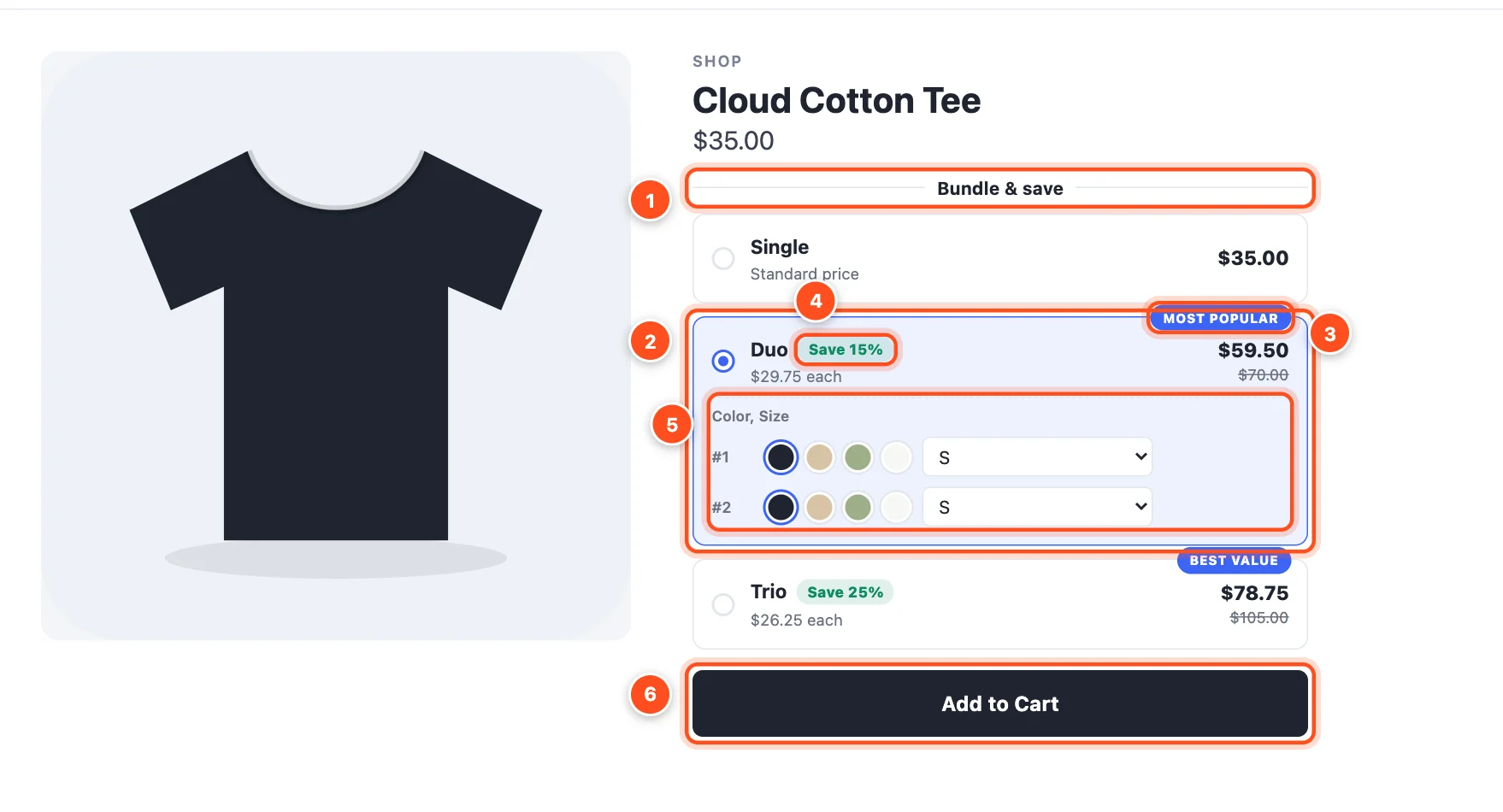
Bundles App & Upsells adds a small offer block to your product pages, right above your Add to Cart button. Shoppers pick "Buy 2, save 15%", "Buy 2, get 1 free" or a complete bundle in one tap — and BigCommerce charges exactly that price at checkout.
What you can build
| Deal type | What shoppers see | Great for |
|---|---|---|
| Quantity breaks | "1 item · 2 items, save 15% · 3 items, save 25%" | Anything people buy more than one of |
| Buy X, get Y | "Buy 2, get 1 free" | Promotions, clearing stock |
| Bundles | "Serum + cream + cleanser — save 15%" | Kits and products that go together |
| Volume discounts | "Any 4 candles, 15% off" or "Spend $100, save 10%" | Collections and wholesale-style pricing |
On top of any of these you can add free gifts and add-ons, badges like "Most popular", a size and color picker for each item in a pack, countdown timers, and much more.
How it works, in one minute
- You create a deal in the app — pick a type, choose the products, and pick a style. A live preview shows you exactly what shoppers will see.
- You publish it. The app tells BigCommerce about your prices (as bulk pricing rules or automatic promotions), so the discount is applied at checkout without any coupon code.
- Shoppers see the offer above your Add to Cart button. They choose a pack and use your store's own Add to Cart button as usual.
- You watch the results in Analytics: sales from deals, how many shoppers pick a deal, and how much bigger their orders are.
Tip: Never used a deals app before? Follow Create your first deal — it takes about five minutes and walks you through every screen.
Where to start
- New here? Install and set up, then create your first deal.
- Not sure which deal to run? Read Choosing a deal type.
- Want to understand every option? The editor guides explain each step, field by field.
- Something not working? See Troubleshooting or the FAQ.