Step 2: Products
Choose which product pages show the deal and what it discounts — and, optionally, which customer groups get it.
Where the deal shows
The Products section decides two things at once: which product pages show the widget, and which products the discount applies to.
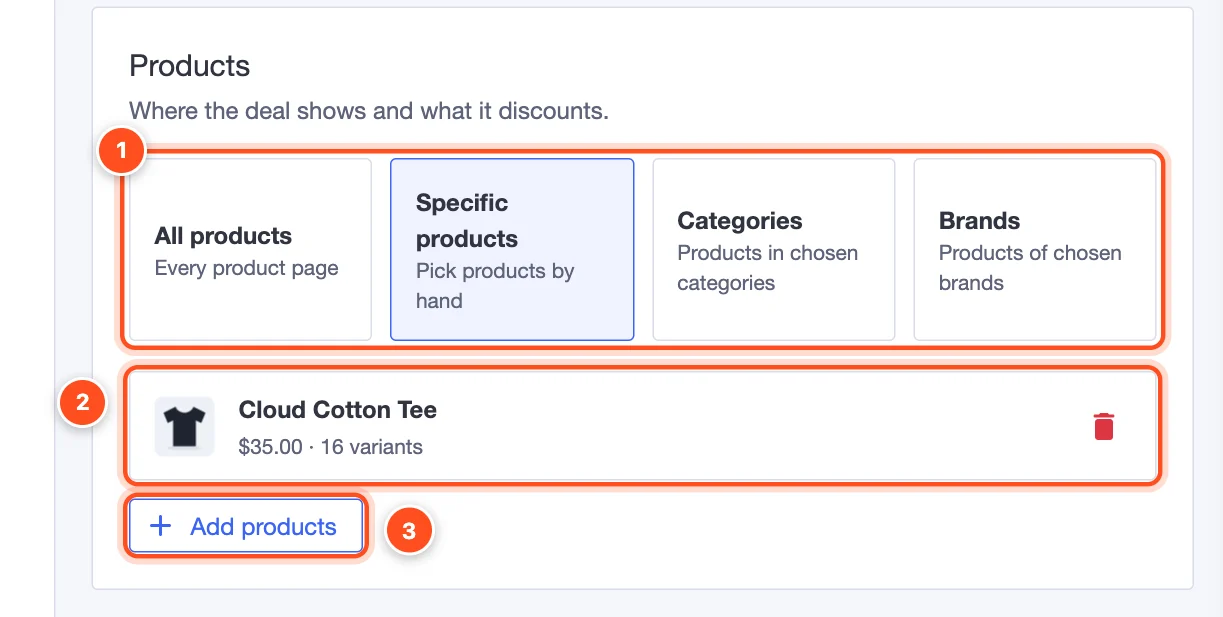
- Choose how to pick products:
- All products — every product page in your store.
- Specific products — products you pick by hand.
- Categories — every product in the categories you choose (including products you add to them later).
- Brands — every product of the brands you choose.
- The products you've picked, with their price and number of variants. Click the bin to remove one.
- Add products opens the product picker.
The product picker
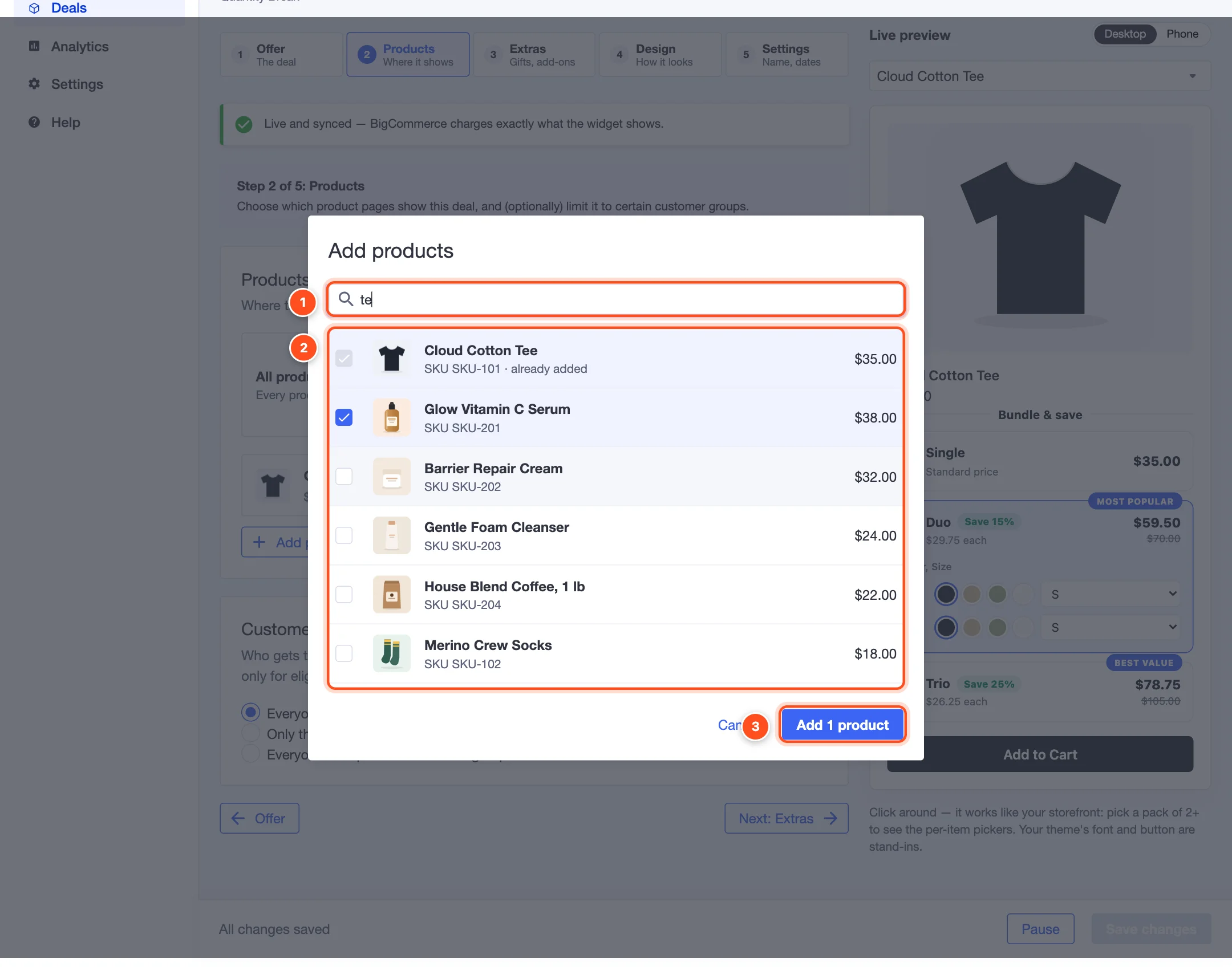
- Search by product name (type at least 2 letters).
- Tick the products you want. Products already in the deal are greyed out; products hidden on your storefront are marked Hidden.
- Add products — the button says how many you've ticked.
Categories, brands and exclusions
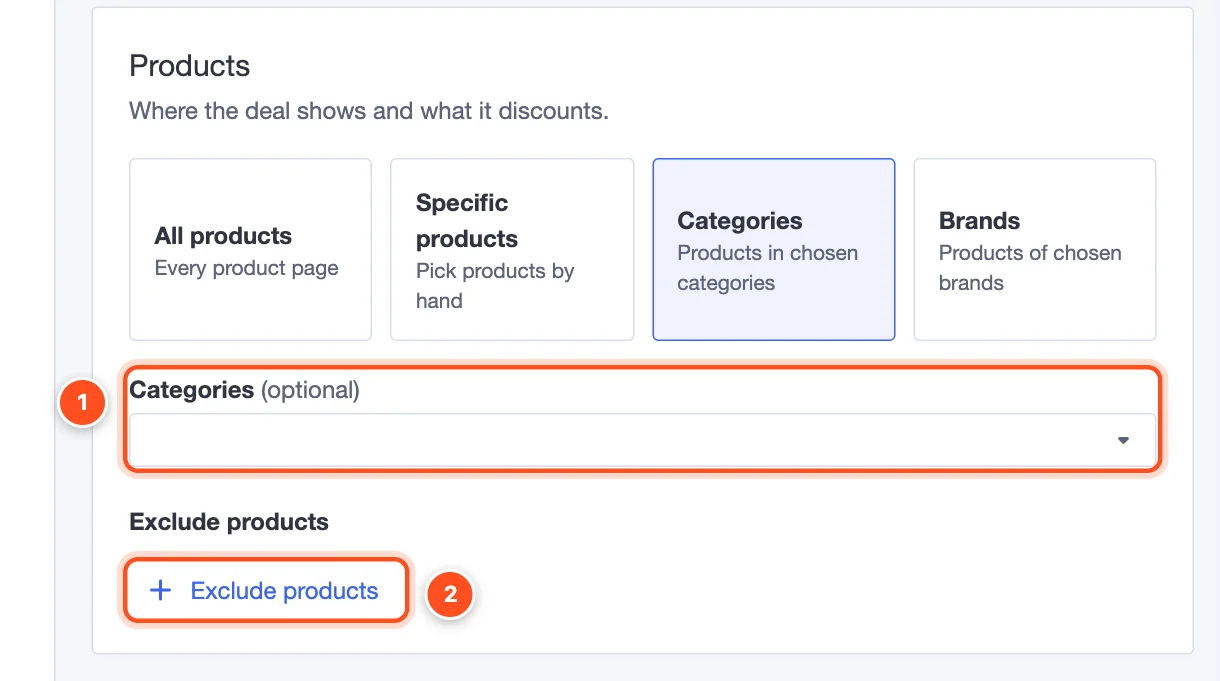
- Categories (or Brands) — choose one or more.
- Exclude products — products that should never show or get the deal, even though they're in a chosen category or brand (or you chose All products). Great for gift cards, sample sizes or items you can't discount.
Note: With All products or a large category, the app sets the deal up on each product the first time its page is viewed, so very large catalogs don't have to wait. The editor mentions this in a yellow "Good to know" message — it's expected.
Who gets the deal
The Customers section limits the discount to certain BigCommerce customer groups — useful for VIP or wholesale pricing.
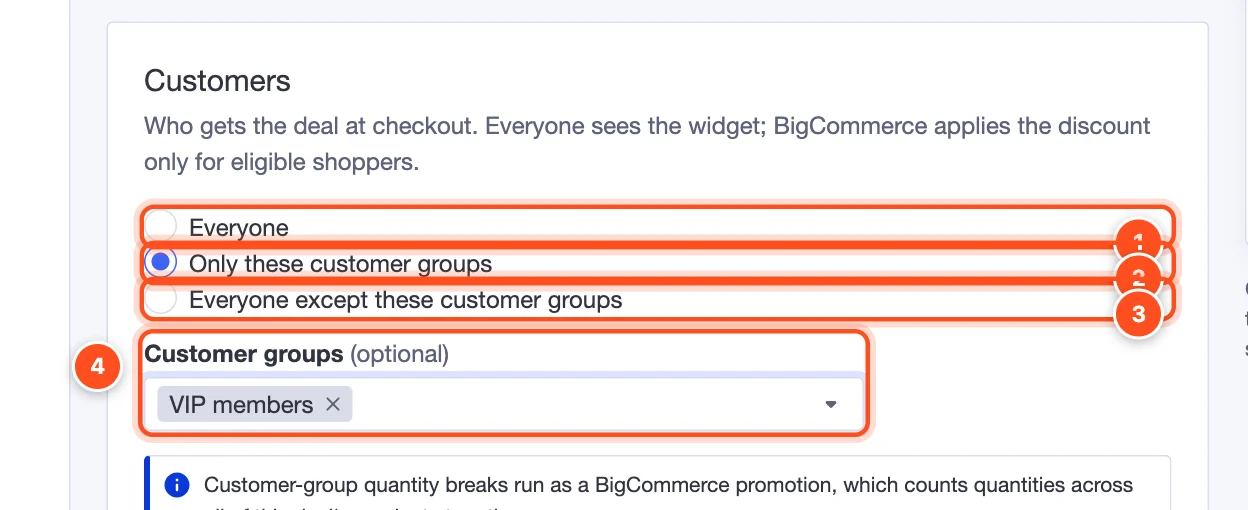
- Everyone (default) — every shopper gets the deal.
- Only these customer groups — only signed-in customers in the groups you choose.
- Everyone except these customer groups — e.g. everyone but wholesale customers, who already have their own prices.
- Customer groups — pick the groups. They come from Customers → Customer groups in BigCommerce.
Important: Every shopper still sees the widget; BigCommerce applies the discount at checkout only for eligible shoppers. If you limit a deal to a group, say so in the widget's heading — e.g. "VIP pricing" — so other shoppers aren't surprised. Customer-group quantity breaks run as a BigCommerce promotion, which counts quantities across all of the deal's products together.