Volume discounts
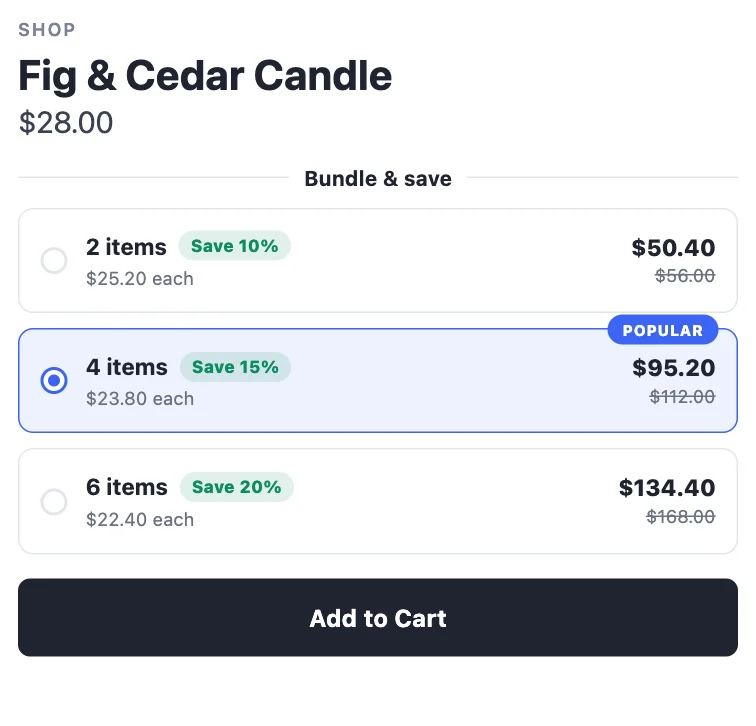
Mix & match across a collection, or reward cart spend — "any 4 candles, 15% off", "spend $100, save 10%".
A volume discount counts every item the deal covers together. A shopper who buys two fig candles and two sea-salt candles has four items, and gets the "4+" price on all of them.
Set one up
- Deals → Create deal → Volume discount, and choose a starting point:
- Mix & match — 2+ items (−10%), 4+ (−15%), 6+ (−20%).
- Spend more, save more — tiers by cart spend: $50 (−5%), $100 (−10%), $200 (−15%).
- In Offer, choose what the tiers are based on:
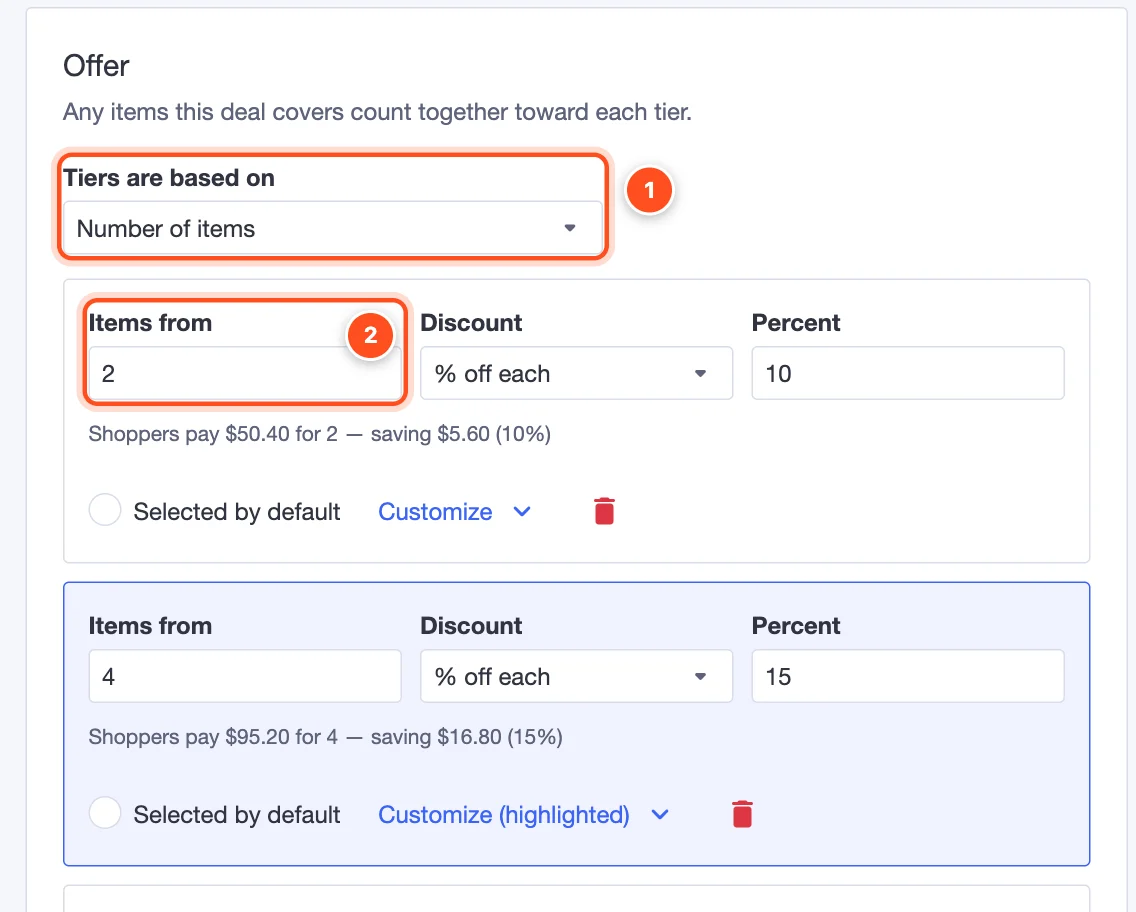
Tiers are based on — Number of items or Cart spend.
Items from (or Cart spend from) — where each tier starts. Then choose the discount for that tier.
In Products, pick the collection: usually Categories (e.g. "Candles") or Brands. Exclude any products that shouldn't count.
Pick a style in Design and click Publish.
Good to know
- On the product page, shoppers see a note like "Mix & match any items from Candles", so they know other products count too.
- Spend-based tiers are measured on the cart total of the products the deal covers.
- Volume discounts run as a BigCommerce automatic promotion.