Buy X, get Y
"Buy 2, get 1 free", BOGO, or a free accessory — set up in a few clicks.
Buy X, get Y deals reward shoppers with free (or discounted) items once they buy enough. The cheapest qualifying items are the ones discounted.
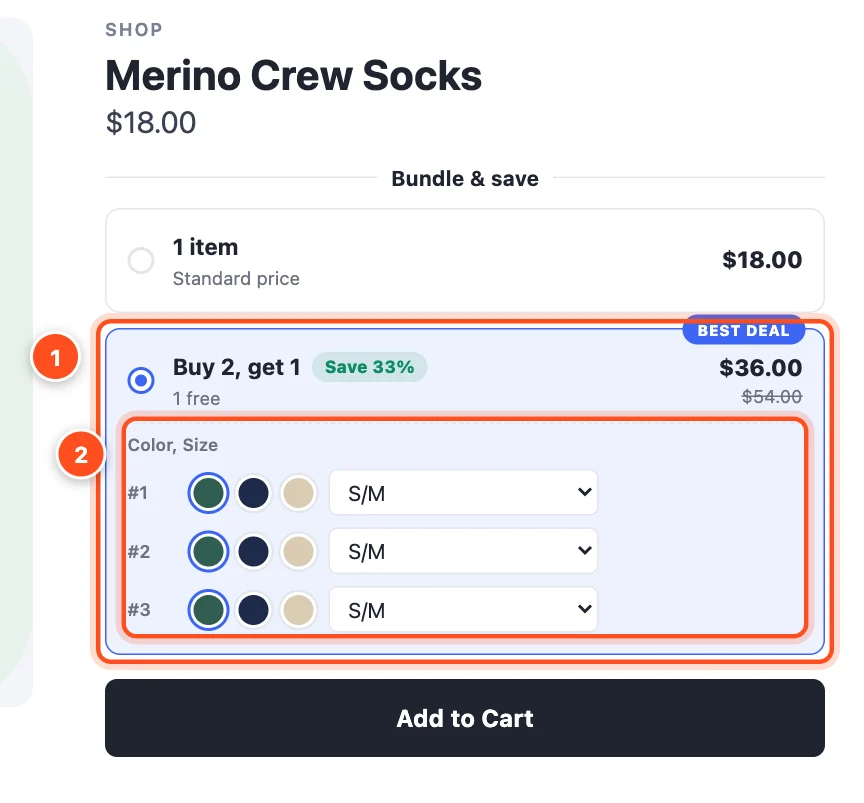
- The deal tier — "Buy 2, get 1", with the saving worked out ("Save 33%") and a badge.
- Shoppers choose the size and color of every item, including the free one.
Set one up
- Deals → Create deal → Buy X, get Y, and choose a starting point:
- Buy 1, get 1 free — the simplest offer to understand.
- Buy 2, get 1 free — protects your margin better than BOGO.
- Adjust the tiers in Offer:
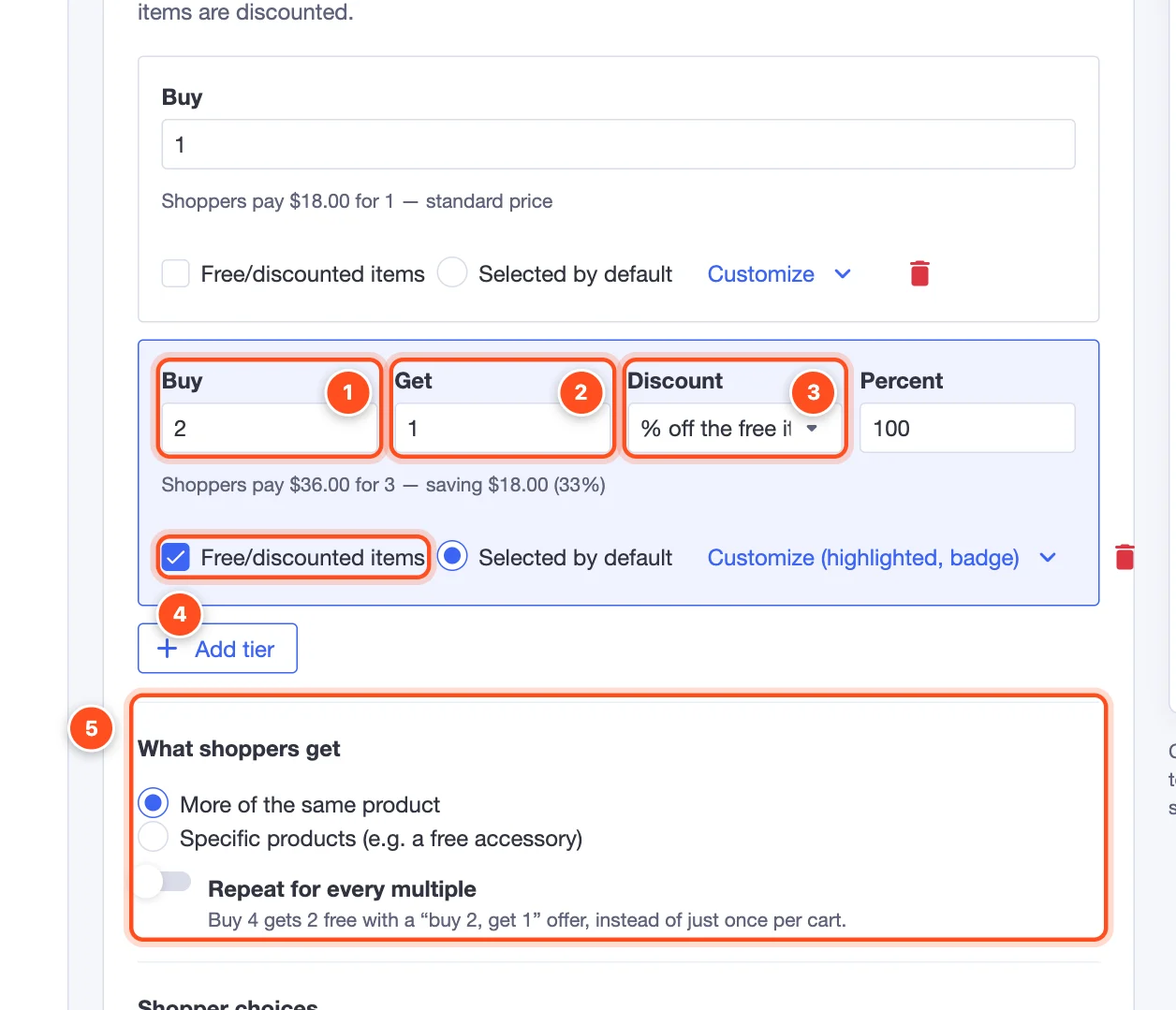
Buy — how many the shopper buys.
Get — how many more they get.
Discount on the extra items: % off the free items (100% = free), Amount off each, or a Fixed price each.
Free/discounted items — tick this on the tier that gives something away. A tier without it (like "Buy 1") is the standard-price option.
What shoppers get:
- More of the same product — the classic "buy 2, get 1 free".
- Specific products (e.g. a free accessory) — choose the reward products. With a single free reward product, BigCommerce adds it to the cart automatically.
- Repeat for every multiple — with "buy 2, get 1", a shopper who buys 4 gets 2 free, instead of the offer applying just once per cart.
Choose the products in Products, pick a style in Design, and click Publish.
Ideas that work well
- Buy 2, get 1 free on socks, candles or snacks.
- Buy 1, get the second half price — set Get to 1 and the discount to 50%.
- Buy any 2 shirts, get a free tote bag — reward mode Specific products, with the tote bag as the reward.
Note: Buy X, get Y deals run as a BigCommerce automatic promotion, so no coupon is needed. If you also run coupon codes, decide whether they can stack using Combine with other promotions under Offer → More options.