Bundles
Sell products together at a bundle price — "complete your routine", "the starter kit", "frequently bought together".
A bundle sells two or more different products together. It appears on the product page just below your Add to Cart button, with its own Add bundle to cart button.
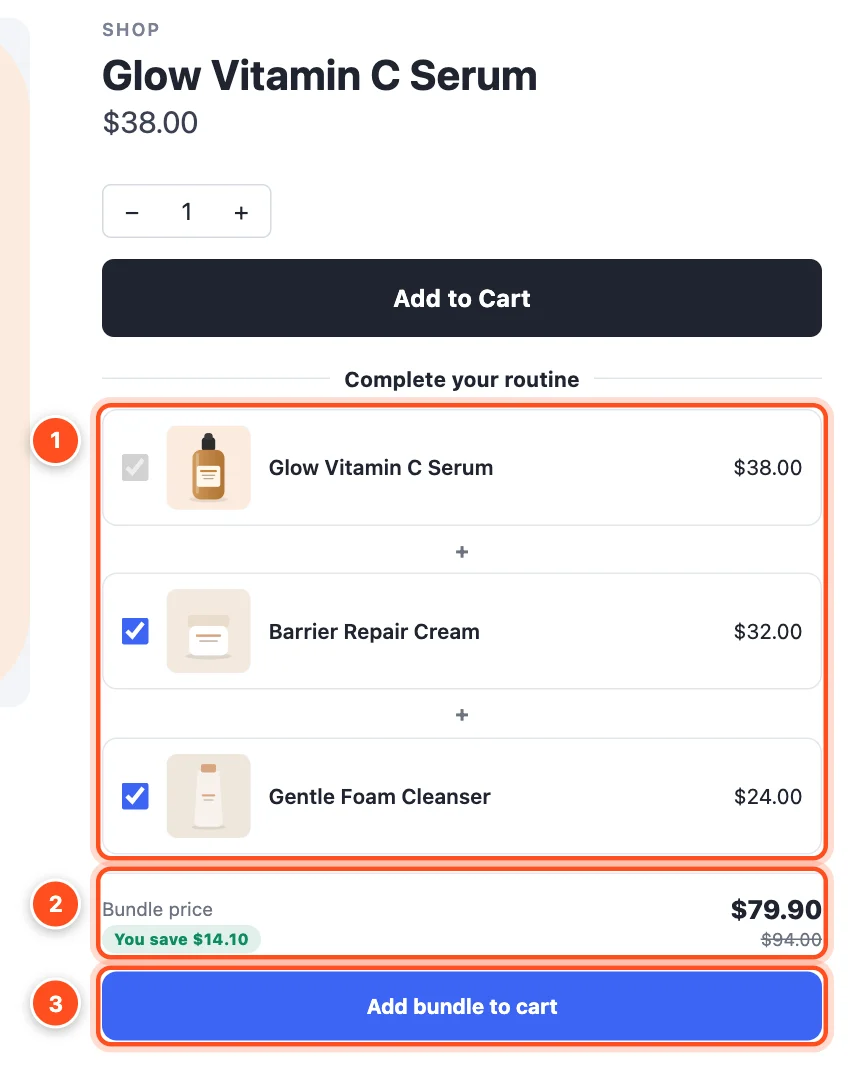
- The products in the bundle. Shoppers can choose options for each one, and untick the extras they don't want (the product they're viewing is always included).
- Bundle price and how much they save. If a shopper unticks an item, the widget shows the full price instead and explains that every item is needed for the bundle price.
- Add bundle to cart adds every product in one click.
Set one up
- Deals → Create deal → Bundle, and choose a starting point:
- Bundle & save 15% — "frequently bought together".
- Set price bundle — sell a curated set for one round price, e.g. "The starter kit — $49".
- In Offer, add the products and set the discount:
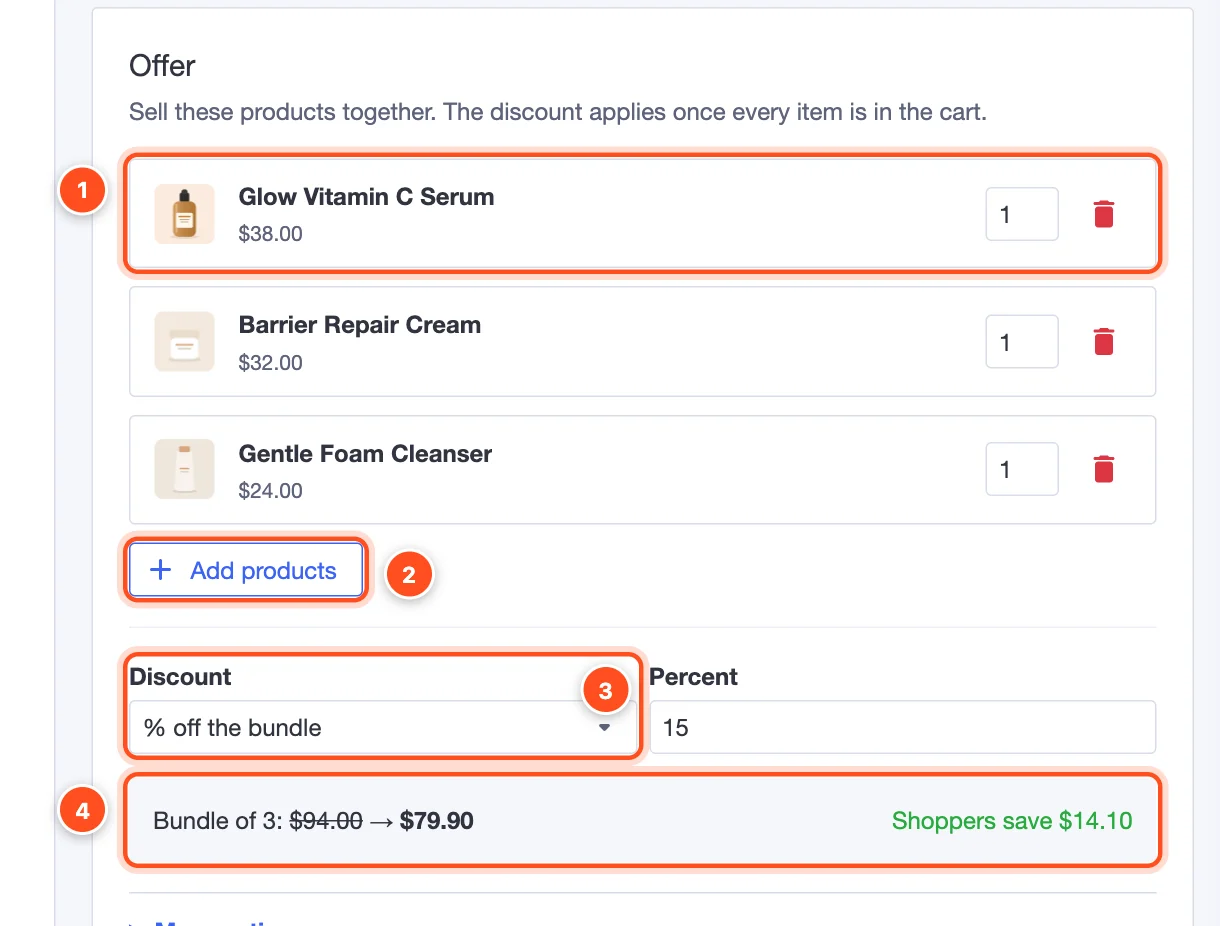
The products in the bundle. For a product with options, choose a specific variant or leave it on Shopper chooses. Set how many of each are included (e.g. 2 × cleanser).
Add products — up to 10 products per bundle.
Discount — % off the bundle, Amount off the bundle, or a fixed Bundle price.
The editor shows the full price, the bundle price and what shoppers save.
In Products, choose where the bundle shows. Click Show on every product in the bundle to show it on each product's page — usually what you want.
Pick a style in Design and click Publish.
Good to know
- The discount applies once every item in the bundle is in the cart — it's an automatic BigCommerce promotion.
- A bundle can show on the same product as a quantity break: the quantity break sits above Add to Cart, the bundle below.
- Want to offer a set as one of the pack sizes of a quantity break ("1 tee · 2 tees · tee + socks")? Use a bundle option instead.